

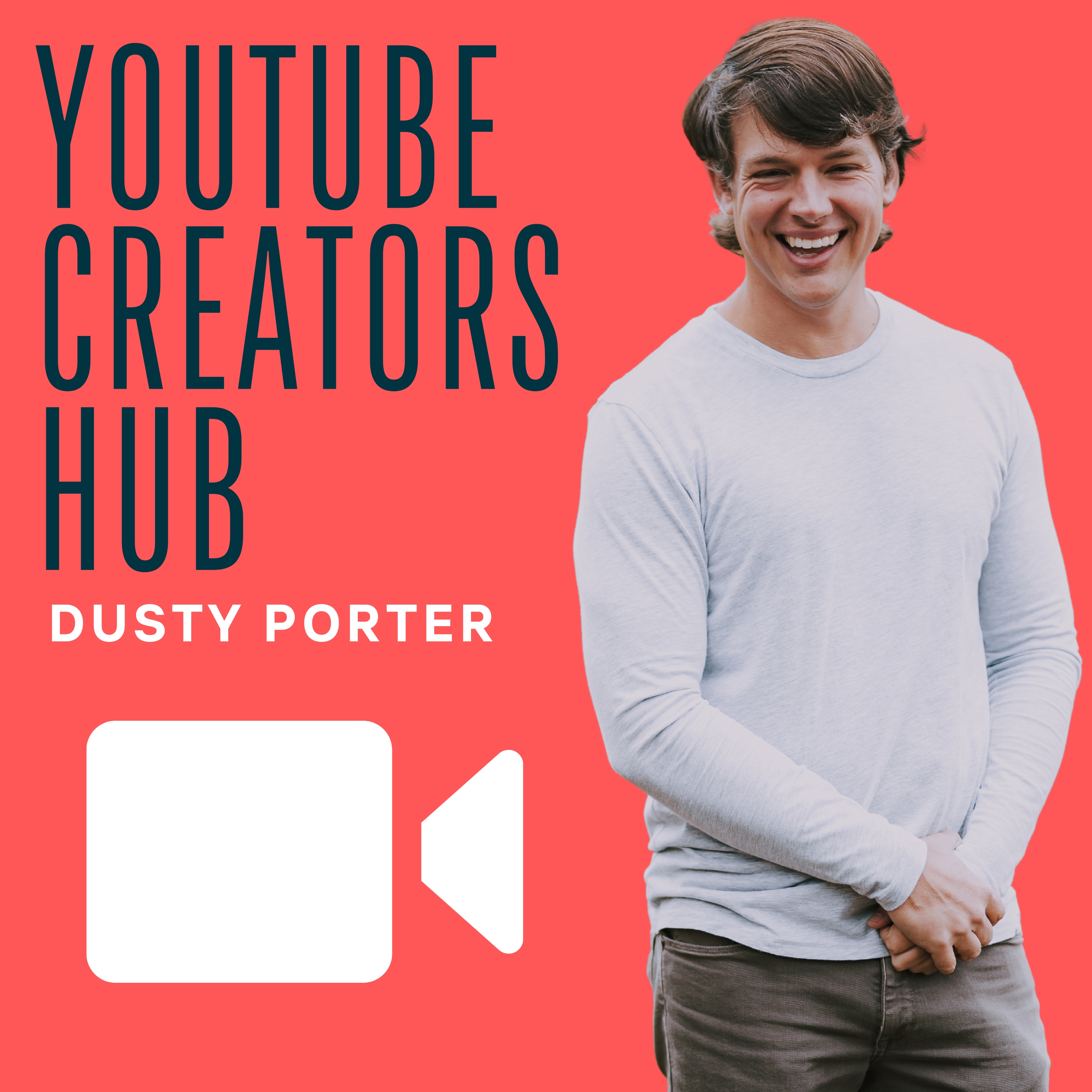
YouTube Creators Hub
Dusty Porter
Introducing the YouTube Creators Hub podcast - your ultimate destination for taking your YouTube channel to new heights, whether for business or personal growth! Join our host, Dusty Porter - a certified YouTube expert with a wealth of knowledge - as he delves into the fascinating world of online video creation every week.
Dusty sits down with an exceptional YouTube Creator in each episode to explore their unique journey and share invaluable insights, strategies, and tips. If you're looking for practical guidance, inspiring stories, and expert tutorials, look no further than the YouTube Creators Hub podcast. Get ready to elevate your YouTube game!
Dusty sits down with an exceptional YouTube Creator in each episode to explore their unique journey and share invaluable insights, strategies, and tips. If you're looking for practical guidance, inspiring stories, and expert tutorials, look no further than the YouTube Creators Hub podcast. Get ready to elevate your YouTube game!
Episodes
Mentioned books

Sep 1, 2016 • 32min
030: Eddie From Epidemic Sound Talks About How To Use Music Correctly On YouTube
030: Eddie From Epidemic Sound Talks About How To Use Music Correctly On YouTube In this episode, we chat with Eddie from Epidemic Sound. He shares with me all of the nitty-gritty details on utilizing music tracks on YouTube videos and how to do it properly. I also talk about the new "Advertiser Friendly" monetization terms of service that has hit the internet by storm. Links Discussed In This Episode TubeBuddy – A tool that makes your YouTube Life EASIER and Helps grow your channel. AudioBlocks – A Fantastic Resource for royalty free music. Adobe Premiere – The video editing software that Vinny uses for all of his videos. Screenflow — A fantastic Screen Recording software for mac to create beautiful screencast videos. Adobe Audition — Audio editing software. Connect With Eddie Here Social: YouTube — Twitter — Website Support The YouTube Creators Hub Podcast Here: If this podcast is bringing you value SUPPORT THE SHOW AT THE FOLLOWING LOCATIONS: TubeBuddy – A tool that makes your YouTube Life EASIER and Helps grow your channel. Patreon – Get Your Channel Featured On The Show AND Acess to an exclusive YouTube Creators Facebook Group Audio Blocks – Sign up for $99 PER YEAR for great audio to use in your content. Bluehost – If you need a website use this link to get a free Domain Name and a great deal on hosting.
Aug 24, 2016 • 18min
029: How To Grow A YouTube Channel From The Ground Up
029: How To Grow A YouTube Channel From The Ground Up In this episode, I take time to talk about how you can grow a fresh/small YouTube channel. Here are the notes I took while making this episode. How To Grow A Brand New YouTube Channel: First, understand why people watch youtube Recommended Video Entertainment To Be Educated (Searching Out Information) Research — Don't just put up random videos What is your channel really about? What is your target audience? Where is your audience hanging outside of YouTube How can you get the Viewer to subscribe and share? Spy on Your People (Recon) Search Forums, Facebook, Twitter, and Everywhere. VIDE STRUCTURE AND FORMULA Find your own — Don't copy someone else's exactly BUT here is a template to go by Hook the viewer in the first few seconds 3-7 Show a bumper - not necessary BUT does help with branding! Main Content — Engage User - and Fun outro that entices the viewer to engage! All different types of channels will have different formulas and structure Once you have done all of this UPLOAD AND OPTIMIZE Make sure you are utilizing your video tags and titles appropriately and make sure you include a Thumbnail that stands out! Share that video!! Google Plus, Facebook, Twitter, Pinterest, Reddit, MAKE GOOD QUALITY POSTS — DONT SPAM Engage and Interact with your audience… How can you grow if you don't interact with your community Engaged Viewers will equal to MAJOR GROWTH Collaborate When Possible — This takes advantage of both people's audience Having a game plan for your channel from the beginning is so important and will help you in the long run. Putting the time, in the beginning, to get to know your audience and other relevant information will pay off BIG in the long term. Also, remember how valuable watch time is. YouTube ranks videos primarily off of Watch Time. Links Discussed In This Episode Canon 70D – The camera that I use in my videos. TubeBuddy – A tool that makes your YouTube Life EASIER and Helps grow your channel. AudioBlocks – A Fantastic Resource for royalty free music. Adobe Premiere – The video editing software that Vinny uses for all of his videos. Screenflow — A fantastic Screen Recording software for mac to create beautiful screencast videos. Adobe Audition — Audio editing software. Connect With Me Here! Social: YouTube — Twitter — Facebook Support The YouTube Creators Hub Podcast Here: If this podcast is bringing you value SUPPORT THE SHOW AT THE FOLLOWING LOCATIONS: TubeBuddy – A tool that makes your YouTube Life EASIER and Helps grow your channel. Patreon – Get Your Channel Featured On The Show AND Acess to an exclusive YouTube Creators Facebook Group Audio Blocks – Sign up for $99 PER YEAR for great audio to use in your content. Bluehost – If you need a website use this link to get a free Domain Name and a great deal on hosting.
Aug 17, 2016 • 39min
028: Traveling The World With 9 Kids In An RV With Mike and Megan Knorpp
028: Traveling The World With 9 Kids In An RV With Mike and Megan Knorpp In this episode, we chat with Mike and Megan from the Knorpp and South YouTube channel and talk about what it takes to grow a successful YouTube channel. They talk about how they are documenting their life with NINE KIDS and their journeys as they travel the country and eventually the world. Megan talks about how important branding is to growing a YouTube channel fast and Mike talks about the struggles of getting past the fear of putting yourself and family out there. Links Discussed In This Episode Canon 70D - The camera that the Knorpp's use in all of their videos TubeBuddy – A tool that makes your YouTube Life EASIER and Helps grow your channel. AudioBlocks – A Fantastic Resource for royalty free music. Adobe Premiere – The video editing software that Vinny uses for all of his videos. Screenflow — A fantastic Screen Recording software for mac to create beautiful screencast videos. Adobe Audition — Audio editing software. Connect With Mike and Megan Here Social: YouTube — Twitter — Instagram Support The YouTube Creators Hub Podcast Here: If this podcast is bringing you value SUPPORT THE SHOW AT THE FOLLOWING LOCATIONS: TubeBuddy – A tool that makes your YouTube Life EASIER and Helps grow your channel. Patreon – Get Your Channel Featured On The Show AND Acess to an exclusive YouTube Creators Facebook Group Audio Blocks – Sign up for $99 PER YEAR for great audio to use in your content. Bluehost – If you need a website use this link to get a free Domain Name and a great deal on hosting.
Aug 10, 2016 • 34min
027: Haters Gonna Hate With Jordan Keyes From TWIL.TV
027: Haters Gonna Hate With Jordan Keyes From TWIL.TV In this episode, we chat with Jordan from the TWITL.TV and talk about what it takes to grow a successful YouTube channel. Jordan has been creating YouTube content since 2009 and does it as a side hobby alongside his day job as a programmer. Jordan focuses mainly around product reviews and overviews. He talks about how to get products to review on your channel, and some techniques he uses to grow his channel fast in the early days! Links Discussed In This Episode Panasonic Lumix G7 - Jordan's main recording camera. Audiotechnica AT8024 - Jordan's main microphone. TubeBuddy – A tool that makes your YouTube Life EASIER and Helps grow your channel. AudioBlocks – A Fantastic Resource for royalty free music. Adobe Premiere – The video editing software that Vinny uses for all of his videos. Screenflow — A fantastic Screen Recording software for mac to create beautiful screencast videos. Adobe Audition — Audio editing software. Connect With Jordan Here Social: YouTube — Twitter — Website Support The YouTube Creators Hub Podcast Here: If this podcast is bringing you value SUPPORT THE SHOW AT THE FOLLOWING LOCATIONS: TubeBuddy – A tool that makes your YouTube Life EASIER and Helps grow your channel. Patreon – Get Your Channel Featured On The Show AND Acess to an exclusive YouTube Creators Facebook Group Audio Blocks – Sign up for $99 PER YEAR for great audio to use in your content. Bluehost – If you need a website use this link to get a free Domain Name and a great deal on hosting.
Jul 27, 2016 • 37min
025: How To Be Everywhere With Daisi From DaisiJoReviews
025: How To Be Everywhere With Daisi From DaisiJoReviews In this episode with chat with Daisi from the Daisi Reviews YouTube channel about what it takes to grow a successful YouTube channel. She talks about her unique journey to creating video content and what it takes to be successful in the Beauty and Fashion space on YouTube. Daisy is a CONTENT CREATING MACHINE and has a TON of value abut monetizing your content in a number of ways! Links Discussed In This Episode Canva - A fantastic online image editing tool. TubeBuddy – A tool that makes your YouTube Life EASIER and Helps grow your channel. AudioBlocks – A Fantastic Resource for royalty free music. Adobe Premiere – The video editing software that Vinny uses for all of his videos. Screenflow — A fantastic Screen Recording software for mac to create beautiful screencast videos. Adobe Audition — Audio editing software. Connect With Daisi Here Social: YouTube — Twitter — Facebook Support The YouTube Creators Hub Podcast Here: If this podcast is bringing you value SUPPORT THE SHOW AT THE FOLLOWING LOCATIONS: TubeBuddy – A tool that makes your YouTube Life EASIER and Helps grow your channel. Patreon – Get Your Channel Featured On The Show AND Acess to an exclusive YouTube Creators Facebook Group Audio Blocks – Sign up for $99 PER YEAR for great audio to use in your content. Bluehost – If you need a website use this link to get a free Domain Name and a great deal on hosting. Check out this great video from Daisi: [su_youtube_advanced url="https://www.youtube.com/watch?v=H4RMVONTuxk" width="660" height="620" theme="light"]
Jul 20, 2016 • 34min
024: Streaming and YouTube With Vinny From Vinesauce
024: Streaming and YouTube With Vinny From Vinesauce In this episode with chat with Vinny from the Vinesauce YouTube channel about what it takes to grow a successful YouTube channel. He talks about Twitch Streaming and how he uses his past streams to post content on his second YouTube channel. We discuss the business model of streamers and how you can do both streaming and YouTube to benefit you on both ends. He streams on Twitch.TV and then posts his past broadcasts on his YouTube channel. Links Discussed In This Episode AudioBlocks - A Fantastic Resource for royalty free music. Adobe Premiere - The video editing software that Vinny uses for all of his videos. Handbrake - A video converting software. Screenflow — A fantastic Screen Recording software for mac to create beautiful screencast videos. Adobe Audition — Audio editing software. Connect With Vinny Here Social: YouTube — Twitter — Facebook Support The YouTube Creators Hub Podcast Here: If this podcast is bringing you value SUPPORT THE SHOW AT THE FOLLOWING LOCATIONS: TubeBuddy – A tool that makes your YouTube Life EASIER and Helps grow your channel. Patreon – Get Your Channel Featured On The Show AND Acess to an exclusive YouTube Creators Facebook Group Audio Blocks – Sign up for $99 PER YEAR for great audio to use in your content. Bluehost – If you need a website use this link to get a free Domain Name and a great deal on hosting.
Jul 13, 2016 • 27min
023: Start With A Passion With Chris From Chop With Chris
023: Start With A Passion With Chris From Chop With Chris In this episode with chat with Chris from the Chop With Chris YouTube channel about what it takes to grow a successful YouTube channel. He talks about the birth of his YouTube channel and how he started his Wood Working hobby and then turned it into a YouTube channel. Chris likes to create things with his hands without using any ELECTRIC POWER TOOLS. He learned how to edit video by just doing it and learning from his mistakes. We talk about how you should start your YouTube channel with a passion first and then think about monetization last. Links Discussed In This Episode Canon Powershot Video Camera - The camera Chris uses to shoot his YouTube videos. iMac - The main computer Chris uses to edit his videos on Screenflow — A fantastic Screen Recording software for mac to create beautiful screencast videos. Adobe Audition — Audio editing software. Connect With Chris Here Social: YouTube — Twitter — Instagram Support The YouTube Creators Hub Podcast Here: If this podcast is bringing you value SUPPORT THE SHOW AT THE FOLLOWING LOCATIONS: TubeBuddy – A tool that makes your YouTube Life EASIER and Helps grow your channel. Patreon – Get Your Channel Featured On The Show AND Acess to an exclusive YouTube Creators Facebook Group Audio Blocks – Sign up for $99 PER YEAR for great audio to use in your content. Bluehost – If you need a website use this link to get a free Domain Name and a great deal on hosting. Check out this great video from Luke: [su_youtube_advanced url="https://www.youtube.com/watch?v=FTzobxYogqM" width="660" height="620" theme="light"]
Jul 8, 2016 • 25min
022: Growing A Gaming YouTube Channel With Luke From SMG4
022: Growing A Gaming YouTube Channel With Luke From SMG4 In this episode with chat with Luke from the SMG4 YouTube channel about what it takes to grow a successful Gaming YouTube channel. He talks about how he started when he was much younger and how the gaming community on YouTube has changed. We discuss the birth of his channel and how he feels responsible for the community he has built. We also talk about creating merchandise for your channel as another way to monetize your content. Links Discussed In This Episode Spreadshirt --- An online store platform that allows you to create merchandise to sell to your audience. Sony Vegas --- The video editing software that Luke uses to edit his videos. Screenflow — A fantastic Screen Recording software for mac to create beautiful screencast videos. Adobe Audition — Audio editing software. Connect With Melissa Here Social: YouTube — Twitter — Instagram Support The YouTube Creators Hub Podcast Here: If this podcast is bringing you value SUPPORT THE SHOW AT THE FOLLOWING LOCATIONS: TubeBuddy – A tool that makes your YouTube Life EASIER and Helps grow your channel. Patreon – Get Your Channel Featured On The Show AND Acess to an exclusive YouTube Creators Facebook Group Audio Blocks – Sign up for $99 PER YEAR for great audio to use in your content. Bluehost – If you need a website use this link to get a free Domain Name and a great deal on hosting.
Jul 6, 2016 • 17min
Quick Tip 002: All About YouTube Equipment
When creating a YouTube channel one of the first things that you need to think about is your equipment. There are over 100 Hours of video uploaded to YouTube every MINUTE, and in order for you to stand out you will need some equipment that will help you do that. There are 3 different things that are CRUCIAL to have before uploading your first video. Microphone Video Camera Video Editing Software Special Mention One of the key things to a YouTube channel is community. There is nothing better to have when starting a YouTube channel than a website. I cannot emphasize enough how important it is to have some way of creating email lists and giving your audience another place outside of YouTube to find you. I have a tutorial here showing you how to easily setup a WordPress Website in a few simple steps. These 3 things can be purchased on a budget and will have you sounding and looking better than over 85% of the videos out there! Microphone: Now let's talk audio, in order for viewers to even understand what you are saying you will need a decent microphone. I am going to list some options below from least expensive to most expensive. Logitech Clearchat Headset – $29.99 — This is a great beginners mic if you are on a very tight budget. This is a USB Mic Blue Snowflake Microphone – 39.95 — This is the microphone that I started with and it lasted me over a year and had great quality. This is a USB mic. Samson CO1U – $79.95 — This is a great starter mic that has great sound and will have you sounding terrific at a very affordable price. This is a USB mic. Audio-Technica ATR2100USB – $59.95 — This is both a USB and XLR microphone. Heil PR-40 – $327.00 — This is the microphone that I currently use. For under $350.00 it gives you professional studio quality audio and really makes your videos stand out. * Take note that if you purchase an XLR microphone that you also will need an Audio Interface. An audio interface is what you plug the microphone into, and then plug the Audio Interface into your computer via USB. I recommend the Scarlett 2i2 BUT any of them will work fine when you are just getting started. Video: Depending on what type of videos you are going to be doing your video needs may vary some. If you are going to do Vlog style videos you are going to need a nice video camera. If you are going to be doing tutorials/screencasts like I do on my channel, you're going to need software that does that. Here is a list of cameras that I like below. Smart Phones – With technology continuing to improve on our phones, if you have to you can use your smartphone if it records in 1080P Sony HDR- CX220 – This is a handy camera from Sony that you can get for right at $150.00 and has 1080P recording for a small budget. Canon Ti3 – This is the DSLR camera that I use currently and for under $500.00 it provides a great quality professional looking video with great sound and video. Canon EOS 5D – If you are looking for a top of the line professional camera this is my choice. It shoots crisp amazing looking footage and constantly comes up on all of the top lists for video equipment. Screenflow – If you are recording your screen on a Mac this is the software that I would invest in. It has all of the bells and whistles and will have your screencasts looking professional and easy to understand. Software: For starting out video editing you can use iMovie for mac and Windows Movie Maker for Windows, BUT eventually, you are going to want to invest in some more professional grade software. My Recommendations: Adobe Creative Cloud – You can get Adobe's suite of software for $29.99 a month through their Creative Cloud subscription service. Other great software resources: Pixelmator – Great Inexpensive Photo Editing Application Other Great Resources That I Use: AudioBlocks – This is a great site that I use for $99 a year you can have access to over 250,000 royalty-free songs and sound effects to use on your videos. I HIGHLY recommend this as it has saved me so much time and money. TubeBuddy – This is a great tool that gives you access to TONS of expanded YouTube features that make the whole process much easier.
Jun 29, 2016 • 33min
021: A Fake Teeth Review With Michelle Dwyer From Thrift Spy
In this week's episode, we chat with Michelle Dwyer from the Thrift Spy YouTube channel. Michelle is based out of Baltimore and is a writer. She talks about how she wants to take her writing and thrifting skills and transfer that to the video space on YouTube. Michelle has some great insight on being a new YouTuber and what you can do to jump start your channel. She talks about learning from her mistakes AND gaining some value from our podcast! --- A little shameless plug there :) The Online Business Realm Has Launched I have had a passion for sharing my knowledge online for a long time, and a few years back decided to work solely online and try and make a full time living. I have launched a blog/podcast called The Online Business Realm. On this show and blog, I discuss my online business journey, and actionable tips to help others start making a full time living online! Check out the Online Business Realm Here Links Discussed In This Episode iMovie --- Apple's native video editor Final Cut Pro --- Apple's pro video editor Screenflow — A fantastic Screen Recording software for mac to create beautiful screencast videos. Adobe Audition — Audio editing software. Connect With Melissa Here Social: YouTube — Twitter --- Instagram Support The YouTube Creators Hub Podcast Here: If this podcast is bringing you value SUPPORT THE SHOW AT THE FOLLOWING LOCATIONS: TubeBuddy – A tool that makes your YouTube Life EASIER and Helps grow your channel. Patreon – Get Your Channel Featured On The Show AND Acess to an exclusive YouTube Creators Facebook Group Audio Blocks – Sign up for $99 PER YEAR for great audio to use in your content. Bluehost – If you need a website use this link to get a free Domain Name and a great deal on hosting.

